























Major new feature – Suspension of Change Requests and Two-Way Messaging
Modification of the request validation flow; Impact on 2 portals
Enhanced Portals · Client Portal & Segic Platform
Overview
ABOUT THIS UPDATE
The change request flow for employee records has been enhanced with two new capabilities: the ability to put a request “On Hold” by the administrator, and “two-way messaging” between the administrator and the plan sponsor.
The plan sponsor can view the “On Hold” status of their requests and exchange messages with the administrator.
The administrator can put a request “On Hold”, send a message to the plan sponsor, and choose to notify them by email.
→
⏱ On Hold
→
✓ Accepted
→
✕ Refused
A request On Hold can be accepted or refused after an exchange of messages.
New Features – Client Portal
Status ⏱ On Hold visible on the request list
“Discussions” section accessible from the detail of a request On Hold
Ability to send a reply message to the administrator directly within the request
Receipt of an email notification when the administrator sends a message
CHANGE REQUEST PENDING PROCESSING
It is also possible to add a message directly to a pending request by clicking the button  at the bottom right of the record.

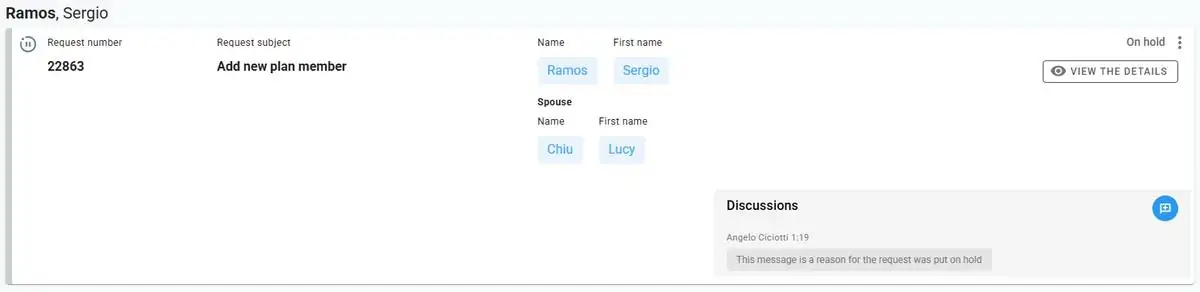
VIEW OF A REQUEST ON HOLD
- The “On Hold” status appears at the top left of the record with the icon
 .
. - The “Discussions” section displays the message left by the administrator. The plan sponsor can reply via the button .
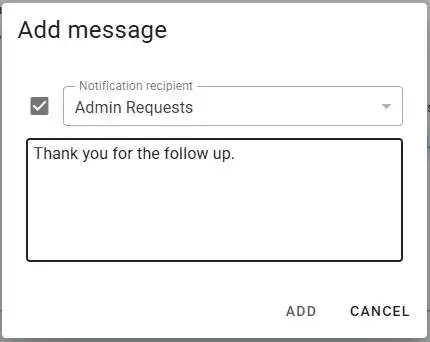
ADDING A MESSAGE TO THE CHANGE REQUEST
The plan sponsor replies via this window. The checkbox allows sending an email notification.
New Features – Segic Platform
NEW ADMINISTRATOR CAPABILITIES
Icon ⏱ “On Hold” — temporarily blocks the request and activates messaging
Section “Discussions” — sending messages to the plan sponsor
Choice of plan sponsor to notify by email among the plan sponsor’s contacts
Icon ✕ “Refuse” — also available from the “On Hold” status
Icon ✓ “Process” — also available from the “On Hold” status
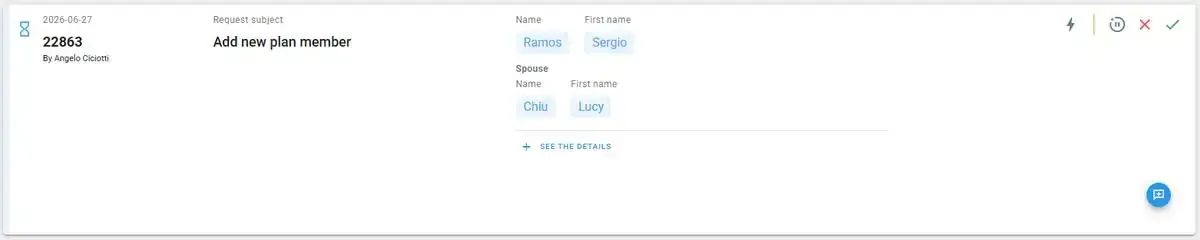
CHANGE REQUEST TO PROCESS
Just like in the Client Portal, it is possible to add a message directly to a pending request by clicking the button at the bottom right of the record.
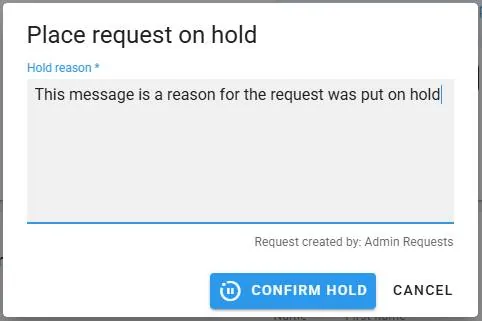
CHANGE REQUEST — PUT ON HOLD
- By clicking the button to put the request on hold, a window opens requesting a “mandatory suspension reason.” This reason will be visible in the “Discussions” section on the Client Portal side.
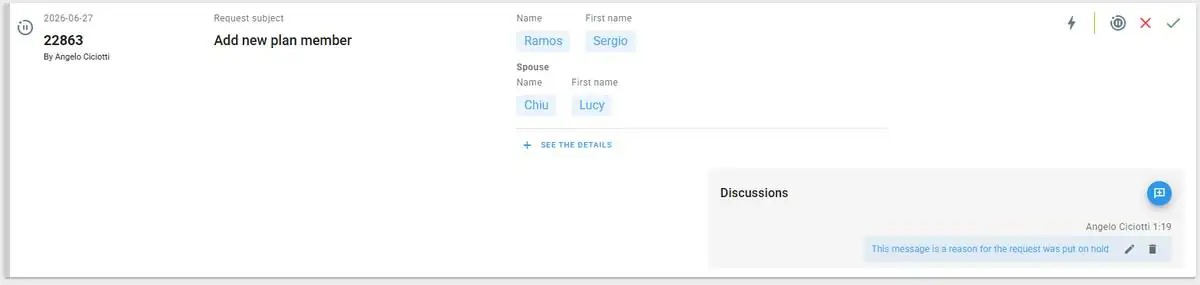
VIEW OF THE CHANGE REQUEST ON HOLD
- The icon appears to the left of the request number. The “Discussions” section displays the entered reason. The admin can edit their message or add new ones via the button .
ADD A MESSAGE TO THE REQUEST AND NOTIFICATION
The administrator sends a message to the plan sponsor and may optionally notify a selected contact by email.
